| Muli's Userscript - Update: 2026-10-14 10:27:33 |

 KKND
KKND 
Level 61
Report
|
Muli's Userscript (Tidy Up Your Dashboard): everything it does on today's war.appMany of you used Muli's "Tidy Up Your Dashboard" userscript for years. Most of it stopped working when war.app redesigned its pages. I've picked it up, fixed what broke, and added a lot since. Full credit to Muli ( https://war.app/Profile?p=2211733141), who created it in 2015 and kept it going for years. His original thread: https://war.app/Forum/106092Website, with the install button and a short overview: https://pdxlife.github.io/warlight-muli-script/Full guide, with a picture for each feature, where to find it and which setting controls it: https://pdxlife.github.io/warlight-muli-script/guide.html
How to installUpdates install by themselves. When a new version is out, the small version number in the bottom-right corner of war.app turns into a gold "Update to …" link if you don't want to wait. If you still have Muli's old version, turn it off in Tampermonkey. The script is for war.app in a desktop browser. war.app's phone app can't run userscripts.
Dashboard
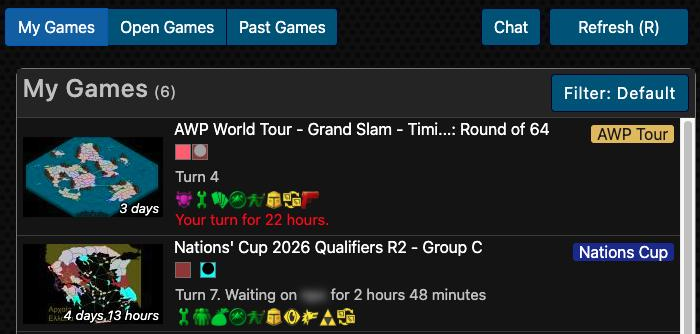
- Refresh with R or the Refresh button; both game lists and their counts update in one go. Optionally refresh when you come back to the tab.
- Your-turn alerts: the tab title shows how many games wait for you, e.g. "(2) Multi-Player Dashboard". While the tab sits in the background it checks every 5 minutes, and can show a desktop notification.
- Boot-time sorting: games where it's your turn are ordered by how long you have left before you're booted.
- Event badges on My Games: "Nations Cup", "P/R League", "Titled Tuesday", "AWP Tour"…, linking to the event.
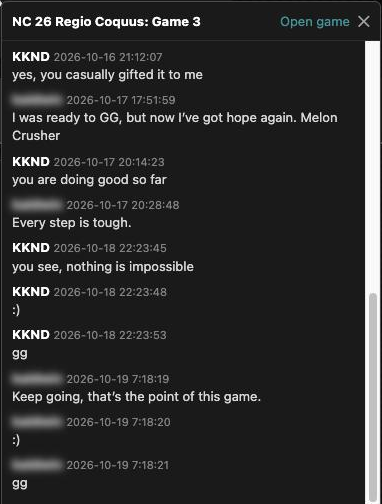
- Chat: a button for the chat rooms, and 💬 Chat on each game to read and write its chat on the dashboard.
- My / Open / Past Games tabs in a fixed, scrollable layout, with bookmarks and the other sidebar boxes on the right.
  Open Games filter Open Games filter: a Filter link in the Open Games header (dashboard and View All). Hide Auto Games, coin games, short boot times, names with words you choose, games with fewer or more seats than you want, team games (or everything but team games), and games with settings you don't like: Commerce, local deployments, manual or automatic distribution, cards, wastelands, fog, no-split and more. Games you've already joined get a green "Joined" badge. 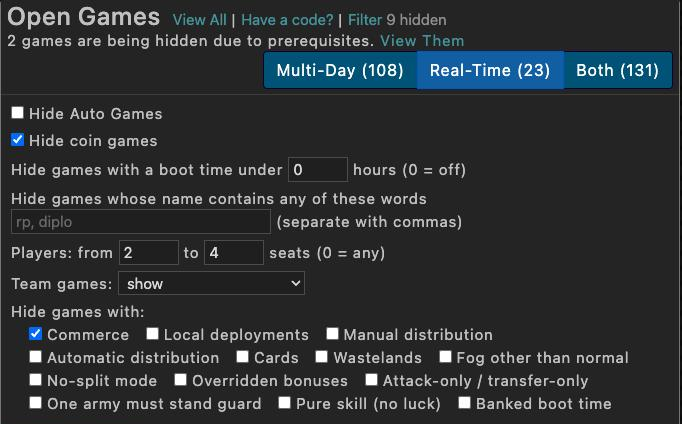
In your games
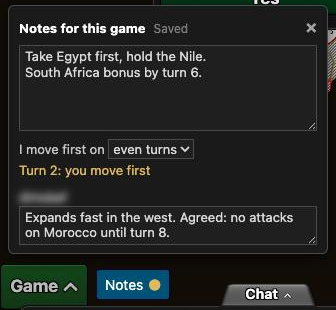
- Notes in a game: a Notes button next to war.app's Game button. General notes, which turns you move first on (odd or even: "Turn 7: you move first"), and a note per player. Private, saved as you type; a gold dot shows which games have notes.
- The whole chat at once: the script presses "Load Older Messages" for you until the whole chat is there.
- Read chat aloud: a 🔊 on each message reads it and the ones after it with your browser's voice. A setting reads new messages as they arrive, so you can listen while entering orders.
- Private chat list: players still in the game first, A to Z, then a line and the ones who are out. Handy in big diplomacy games.
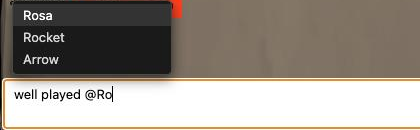
- Tag players: type @ in a chat box and pick a name from the list.
- Ask before committing (a setting, off by default): Commit and Run+Commit ask first, against fat-finger commits.
- Mute a player without blocking them (see Chat rooms below).
   Past Games Past Games: search by game or player name, show only games in progress, your turn, lobbies, finished games or games you're out of, real-time or multi-day, and reverse the order. 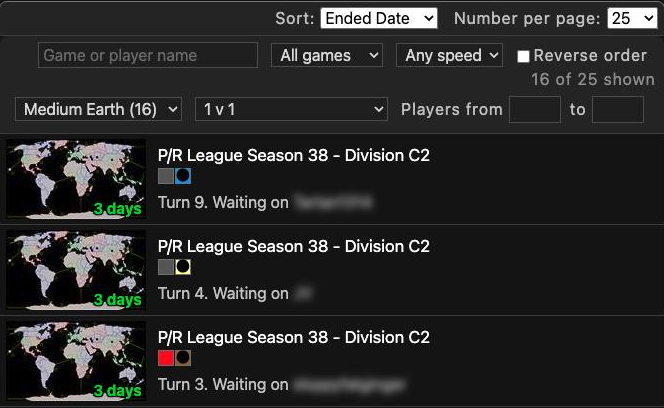
Chat rooms (Global, Clan, groups)
- Hide events: no more walls of "Joined the group", "Removed from the group due to inactivity" or clan war rewards; the conversation closes up. One click shows them again.
- Search chat for a word or a player.
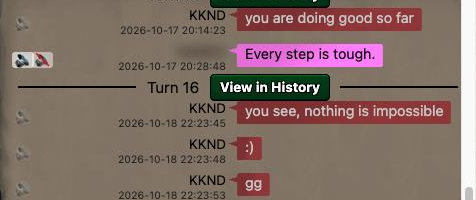
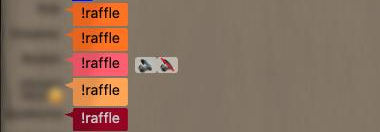
- Mute a player: hover a message and click 🔇. Their messages disappear in chat rooms and game chats, and they never know. The Muted list lets you unmute.
- Mentions: messages with your name are outlined in gold, and a tab you're not looking at shows "@1" when someone mentions you.
- Tagging with @ and read aloud work here too.
Ladders, community events and leaderboards
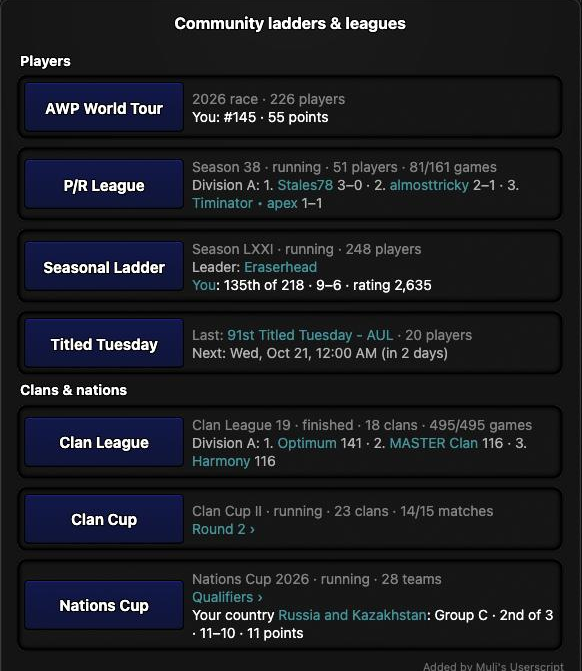
- Community ladders & leagues on the Ladders page: the AWP World Tour race, P/R League, the Seasonal Ladder, Titled Tuesday (last event and the next one in your time zone), Clan League, Clan Cup and Nations Cup, each with its standings and your own place, or your clan's or country's.
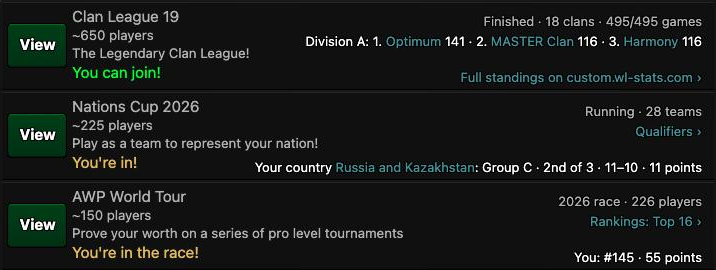
- Standings on Community Events: each card shows the current edition and its standings, and where you take part, war.app's "You can join!" becomes "You're in!", "You're signed up!" or "You took part".
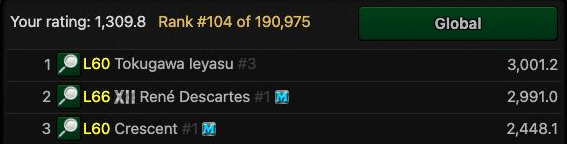
- Your rank on Quickmatch leaderboards: next to "Your rating", your place, e.g. "Rank #104 of 190,975", for Global and every template.
Tournaments

- Player search and sort on the Players tab (by name, wins, losses).
- Bookmark link next to "Created by", and a link to the tournament's page on custom.wl-stats.com for community series.
 Profiles Profiles
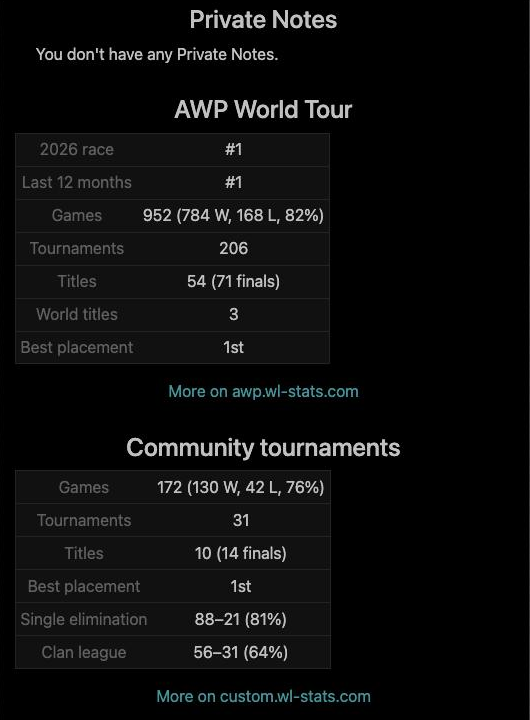
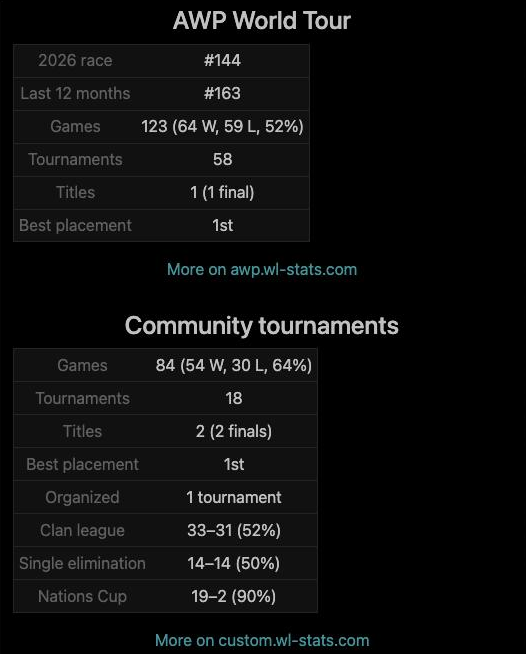
- AWP World Tour stats: race place, 12-month rank, games and win rate, tournaments, titles.
- Community tournament stats from custom.wl-stats.com, with records in the formats a player plays most.
- Your private notes about the player, and stat sections you can fold.
 Clans Clans
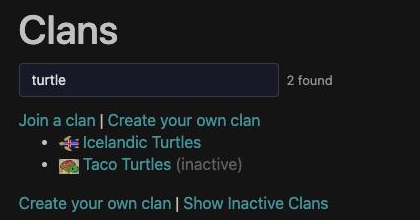
- Clan list search.
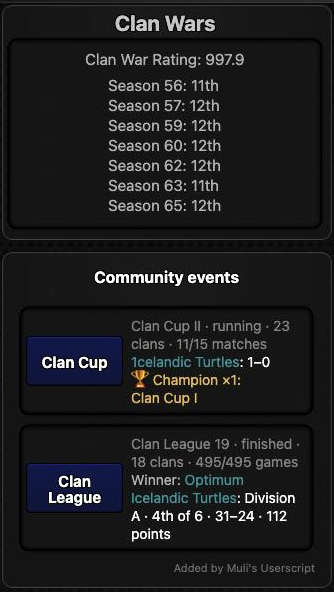
- Community events on clan pages: the clan's place in Clan League, Clan Cup and the other community series, and its titles.
War.app Idle (helpers only inform and ask; nothing plays the game for you)
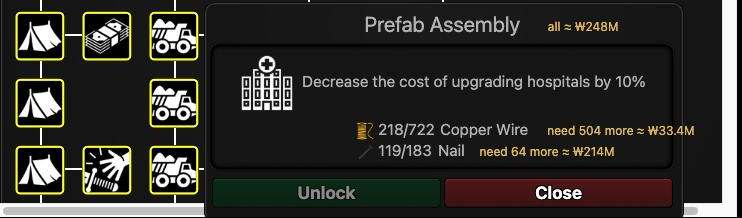
- What a tech is missing and its market cost: "need 5 more ≈ ₩221M", priced the way Idle's markets raise prices as you buy, and the total for everything missing.
- Big market typos are caught: type "121p" by mistake and the script asks before Idle spends all your money.
- Using a power or activating an artifact asks first.
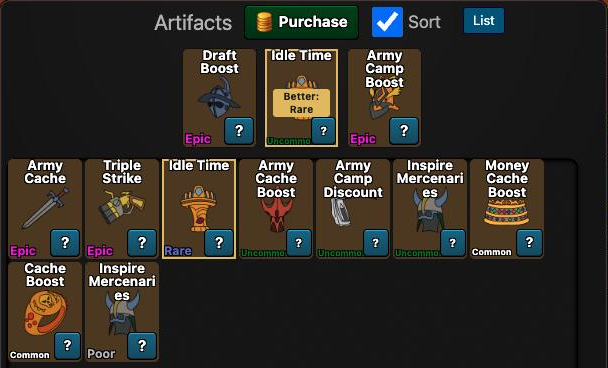
- Better artifact copies pointed out, an artifact list sorted by rarity or name, and artifact storage for ones you never want used.
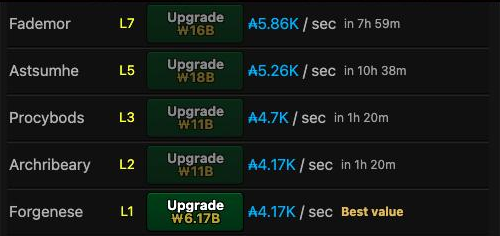
- Time to afford each upgrade, and the best value army camp.
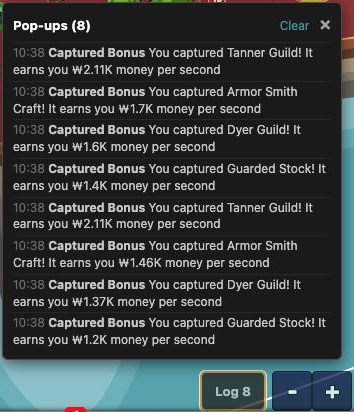
- Pop-up log of everything Idle showed on the map, a volume slider, a warning when Idle is open in two tabs, and a tab-title count of what Idle needs you for.
    Part 1/2
Edited 2026-10-19 14:47:14
|
| Muli's Userscript - Update: 2026-10-14 10:28:27 |
KKND
Level 61
Report
|
Forum, mail and more
- Bookmarks in the dashboard sidebar, with quick-bookmark links on threads, tournaments and levels.
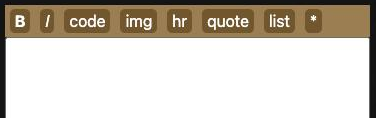
- Forum: a formatting toolbar, hiding threads, hiding Off-topic and Idle threads, level previews in posts.
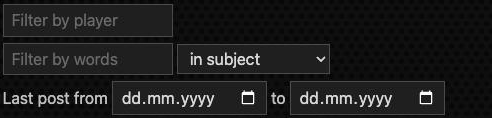
- Mail: filter by player, by words (subject or first words of the message) and by date.
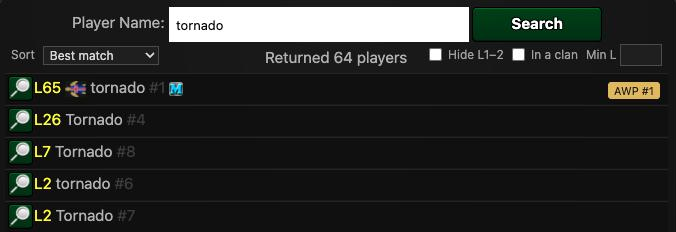
- Player Search: best match first, by level or name, hide level 1–2 accounts, tags for you, AWP ranks and blocked players; paste a profile link to open it.
- Also: block list search and count, map search, sortable Common Games with your head-to-head record, total points earned.
SettingsEverything is in your account menu → "Muli's Userscript": every feature has its own switch, grouped by area, with a search box. Export / Import backs up your settings, bookmarks and notes. 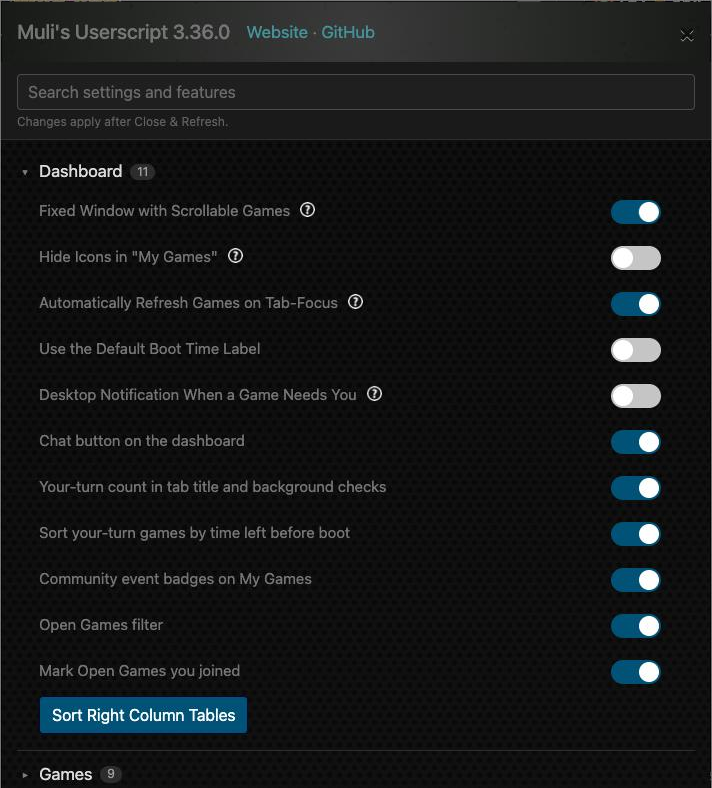 Privacy and safety Privacy and safetyThe script doesn't send your username anywhere. Community stats come from awp.wl-stats.com and custom.wl-stats.com without your war.app login. The features that use Muli's old server (MTL stats and community level records) are off by default. FeedbackHow to use each feature, step by step: https://pdxlife.github.io/warlight-muli-script/guide.htmlIf something doesn't work or you'd like a feature, reply here. Please include the page and, if you can, what the script's log says (press Ctrl+Shift+2 on any war.app page). Everything that changed is in the changelog: https://github.com/pdxLife/warlight-muli-script/blob/main/CHANGELOG.md. The code is open: https://github.com/pdxLife/warlight-muli-scriptHave fun! Part 2/2
Edited 2026-10-19 07:36:34
|
| Muli's Userscript - Update: 2026-10-19 06:10:43 |
KKND
Level 61
Report
|
Update: what's new since October 14The script went from 3.14.5 to 3.38.1 in these five days. If you installed it, you already have it: Tampermonkey updates by itself (the version is in the bottom-right corner of war.app). The first post now lists everything the script does; here is what's new. New: a full guide on the website, with a picture for each feature, where to find it and which setting controls it: https://pdxlife.github.io/warlight-muli-script/guide.html
In your games
- Notes in a game (the most-voted Feature Request, "Provide Space for In-Game Notes"): a Notes button next to war.app's Game button, with general notes, which turns you move first on, and a note per player.
- The whole chat at once: no more pressing "Load Older Messages" ("Showing more posts in game chat windows").
- Read chat aloud ("Text to speech"): a 🔊 on each message, and a setting that reads new messages as they arrive.
- Private chat list with the players still in the game first ("Border in PMs").
- Ask before committing, a setting that's off by default ("Are you sure you want to commit your orders?").
- Tag players by typing @ and picking a name.
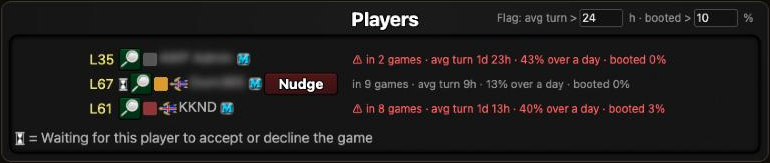
- Player pace in a lobby ("Additional filters for joining open games"): each player's games in progress, average turn and boot rate from their profile, with slow players marked, so you can remove them. Real-time lobbies (boot time of an hour or less) show real-time turns. The version number now shows in lobbies too.
 Past Games and Open Games Past Games and Open Games
- Past Games filters ("Search/Sort Functionality for Past Games"): search, in progress / your turn / lobby / finished / out, real-time or multi-day, reverse order.
- More Open Games filters: seats from–to, team games only or none, and hiding games by their settings (Commerce, local deployments, cards, fog and more).
Chat rooms
- Hide events: the "Joined the group" / "Removed from the group due to inactivity" / clan war notices are hidden, so you can read the conversation.
- Mute a player without blocking them ("Mute Button"), and a Muted list to undo it.
- Mentions of your name are outlined in gold, with "@1" on the tab ("Tagging Players in Public Chat").
- Search chat, @ tagging and read aloud.
- A Chat button on the dashboard ("Add Button to Open Chat from MP Dashboard"), and 💬 Chat on each game in My Games: that game's chat opens in a panel on the dashboard, Public and Team, and you can write there too. It shows the last 20 messages; Show all loads the rest.
Ladders, community events and leaderboards
- Community ladders & leagues on the Ladders page: AWP World Tour, P/R League, Seasonal Ladder, Titled Tuesday, Clan League, Clan Cup and Nations Cup, with standings and your own place.
- Standings on Community Events, and "You're in!" / "You're signed up!" / "You took part" instead of "You can join!" where you take part.
- Your rank on Quickmatch leaderboards ("Leaderboards: Include Rank with Rating").
- Event badges on My Games for community events and the AWP World Tour.
Profiles, clans, tournaments
- AWP World Tour stats and community tournament stats on profiles. This brings back the AWP integration from Muli's original script.
- Community events on clan pages, with the clan's titles.
- custom.wl-stats.com links on community tournaments.
War.app Idle: helpers from the Idle forum and Feature Requests
- What a tech is missing and what it would cost at the market ("Ability to click a tech and pay for it from market"). The script never buys for you; it shows the numbers.
- Big market typos are caught before Idle spends all your money.
- Confirmations before using a power or activating an artifact.
- Better artifact copies, an artifact list, and artifact storage.
- Time to afford, the best value army camp, a pop-up log, a volume slider, a second-tab warning, and a tab-title count of what Idle needs you for.
AndSomething broken? Tell me (KKND), the script's maintainer, here. Many of these came from your Feature Requests. Thanks for the ideas, and keep them coming here. The full list of changes: https://github.com/pdxLife/warlight-muli-script/blob/main/CHANGELOG.md
Edited 2026-10-19 09:22:38
|
Post a reply to this thread
Before posting, please proofread to ensure your post uses proper grammar and is free of spelling mistakes or typos.
|
|


